
Navigation With Purpose
Are visitors following the paths you've created? Do you know which links they're choosing?
Every link on a website offers a visitor somewhere to go. Some lead to additional information, others to services, resources, or the next step in making contact.
This Field Tool explores how Google Tag Manager (GTM) and Google Analytics 4 (GA4) can help you track navigation interactions and examine the information they provide.
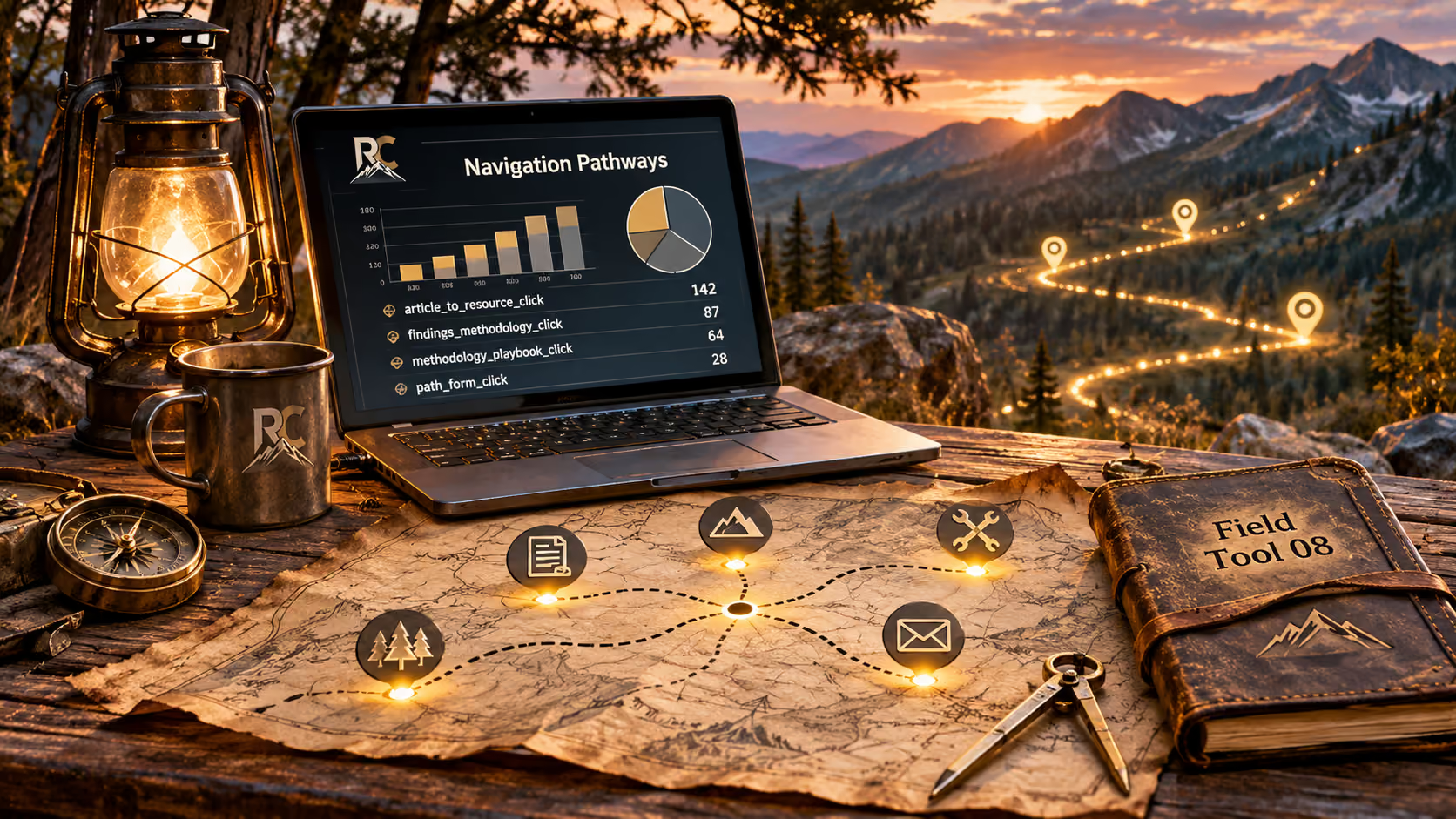
What Happens After a Visitor Clicks?
A visitor arrives on your website and finds something that interests them.
They select a link to explore further.
That simple action can tell you something about their interests, but only if you have a way to recognize when it happens.
Knowing which links visitors select can help you identify the information attracting attention, the resources being explored, and the connections visitors are choosing to follow.
The first step is making those interactions visible.
How Can You Track Those Clicks?
Google Tag Manager (GTM) and Google Analytics 4 (GA4) work together to help you understand how visitors interact with your website.
Google Tag Manager allows you to configure tags that respond to specific actions, such as selecting a navigation link.
For example, you might want to know how often visitors select a link from an article to a related resource.
In GTM, you can create a trigger that identifies that particular click and a tag that sends an event to GA4.
Google Analytics 4 receives those events, allowing you to examine the interactions being recorded.
GTM identifies the action you've chosen to track, while GA4 provides a place to examine the resulting information.
You don't need to track every link on your website. Start with the connections that serve a specific purpose.
The important question is what you want to learn from each interaction.
Which Navigation Links Should You Track?
Not every link needs its own tracking event.
Begin with the pathways you've intentionally created to help visitors discover related information or take the next step.
For example, a website might connect an article to a related resource, a service overview to a detailed explanation, or an assessment page to a contact form.
What you choose to track depends on what you want to understand.
Consider these questions:
Are visitors exploring the additional information you've provided?
Which resources are attracting their interest?
Are visitors selecting the links that lead toward an inquiry or another meaningful action?
Not every link needs its own tracking event.
An Example from Rebecca Camille
On the Clarify Assessment Findings page, visitors can explore individual findings and follow links to related sections of the Accel Game Plan Methodology.
Those connections were created to let visitors move between an example finding and the methodology behind it.
By assigning tracking events to selected links, I can examine which connections visitors choose to follow.
The events don't tell me why someone selected a particular link, but they provide evidence of how those pathways are being used.
Navigation becomes more informative when its purpose and its measurement are connected.
How Do You Set Up Navigation Tracking in GTM?
Once you've selected a link worth measuring, Google Tag Manager provides a way to record when visitors click it.
The setup involves four components:
1. Identify the link
Choose a specific navigation link and determine how GTM will recognize it.
Depending on the website, this might be its destination URL, a unique element ID, or another identifying attribute.
2. Create a trigger
In GTM, configure a click trigger with conditions that identify the selected link.
The trigger determines when your tracking tag should activate.
3. Configure a GA4 event tag
Create a GA4 event tag and give the interaction a descriptive event name, such as findings_methodology_click.
Connect the tag to your trigger so the event is sent when the specified link is selected.
4. Test before publishing
Use GTM's Preview mode to follow the link yourself and confirm that the correct tag fires.
Check that the event reaches GA4, using DebugView when appropriate, before publishing your changes.
What Does the Event Tell You?
Once tracking is active, GA4 can record the event each time the configured interaction occurs, subject to consent settings and other measurement limitations.
You can examine how frequently that event is recorded and compare it with other tracked navigation interactions.
But remember, a recorded click doesn't necessarily mean the visitor reached the destination, read its content, or completed the next action.
Tracking makes a selected interaction visible.
Understanding the journey beyond it may require additional measurement.
What Can Navigation Data Reveal?
Once your navigation events begin collecting information, you can examine the results in Google Analytics 4.
Rather than looking at individual clicks in isolation, consider how the interactions relate to the pathways you've created.
For example, you might discover that visitors frequently select a link from an article to a related resource, while another connection receives very little activity.
Does that mean the second link isn't useful? Not necessarily.
Its placement, the number of visitors reaching that page, and the relevance of the destination can all influence whether someone chooses to follow it.
Exploring the Results in GA4
The Events report allows you to review the events being recorded and how often they occur.
For a closer examination, GA4's Explore workspace provides additional ways to organize and visualize your information.
Using a Free-form exploration, you can compare selected navigation events and display the results in tables or charts.
A Path exploration can also help you investigate sequences of recorded page views and events, depending on the data available.
Look for relationships, not just numbers.
A frequently selected link may indicate strong interest in a particular resource.
A rarely selected link might deserve a closer look, but its event count alone doesn't explain why visitors aren't choosing it.
The value comes from comparing what you intended each pathway to accomplish with the interactions you're actually observing.
Navigation data provides clues. Your interpretation gives those clues context.
What Can't Navigation Tracking Tell You?
Tracking navigation links helps reveal which connections visitors select, but a click doesn't tell the entire story.
A visitor might follow a link to another page, spend time reading, and leave with exactly the information they needed.
Another visitor might select the same link and immediately return to the previous page.
Both interactions could produce the same navigation click event, even though the experiences were different.
What Happens Beyond Your Website?
Consider a business that connects its website to an external appointment-booking platform.
Tracking the booking link can tell you that visitors selected it, but it doesn't automatically confirm that an appointment was scheduled.
Following that next step depends on whether the booking platform supports additional measurement and whether the necessary tracking has been configured.
The same distinction applies to links leading to external resources, purchasing platforms, or other websites.
A click confirms an interaction was recorded, not that the visitor completed the intended action.
Understanding the Limits
Consent preferences, browser restrictions, and tracking configurations can also affect which interactions appear in your reports.
Your analytics may not capture every visitor or every action.
Rather than treating the data as a complete account of someone's experience, use it alongside what you know about your website's content, navigation, and intended purpose.
The goal isn't to know everything a visitor does. It's to learn what the available evidence can tell you.
From Field Tool to Clarify Assessment
Navigation tracking can reveal which pathways visitors choose to follow as they explore your website.
But those interactions are only one part of the picture.
A Clarify Assessment examines how your website, business resources, and the technology behind your business work together to support your direction.
The Path Settings
Choose how this site remembers your preferences.
Analytics Cookies
These cookies help us identify the most useful paths for visitors, allowing us to enhance the user experience while protecting your privacy.